

 Google Photos Compatible
12x12 Photo Book
Our largest square book, show off your photos and memories with our 12x12 inch Photo Book in Hardcover, Softcover, and Die-Cut binding options.
 Looking for a 12"x12" Seamless Layflat Photo Book?
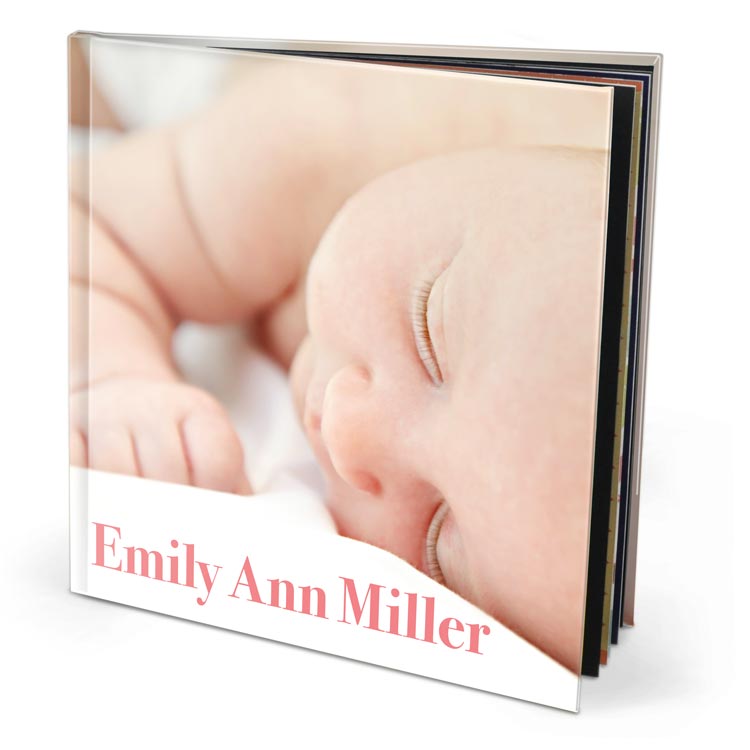
 Hardcover
 Softcover
 Wire Bound

Hardcover Premium 150 Photo Paper
Print your 12"x12" Custom Hardcover Photo Book from a PDF file or create it in our Online Designer tool. This option includes a hardcover binding and our Premium Photo Paper, featuring a slight gloss and great color reproduction along with a medium weight to the paper. Combined with our laminated Imagewrap cover printing option, allowing you to print a photo cover that spans the front, back, and spine of the book.
starting at $38.99
Pricing for 20 page book with current selected options
$19.99 Binding + $0.95/Page
More Details
Softcover Economy 120 Photo Paper
Print your 12"x12" Custom Hardcover Photo Book from a PDF file or create it in our Online Designer tool. This option includes a hardcover binding and our Premium Photo Paper, featuring a slight gloss and great color reproduction along with a medium weight to the paper. Combined with our laminated Imagewrap cover printing option, allowing you to print a photo cover that spans the front, back, and spine of the book.
starting at $38.99
Pricing for 20 page book with current selected options
$19.99 Binding + $0.95/Page
More Details
Wire-O Softcover Premium Gloss 220 Photo Paper
Print your 12"x12" Custom Hardcover Photo Book from a PDF file or create it in our Online Designer tool. This option includes a hardcover binding and our Premium Photo Paper, featuring a slight gloss and great color reproduction along with a medium weight to the paper. Combined with our laminated Imagewrap cover printing option, allowing you to print a photo cover that spans the front, back, and spine of the book.
starting at $38.99
Pricing for 20 page book with current selected options
$19.99 Binding + $0.95/Page
More DetailsBinding Types
Paper Types
We are the Apple Photo books experts!
Custom Photo Book Bulk Order Pricing

Page Count:
Quantity:
Total:
$38.99
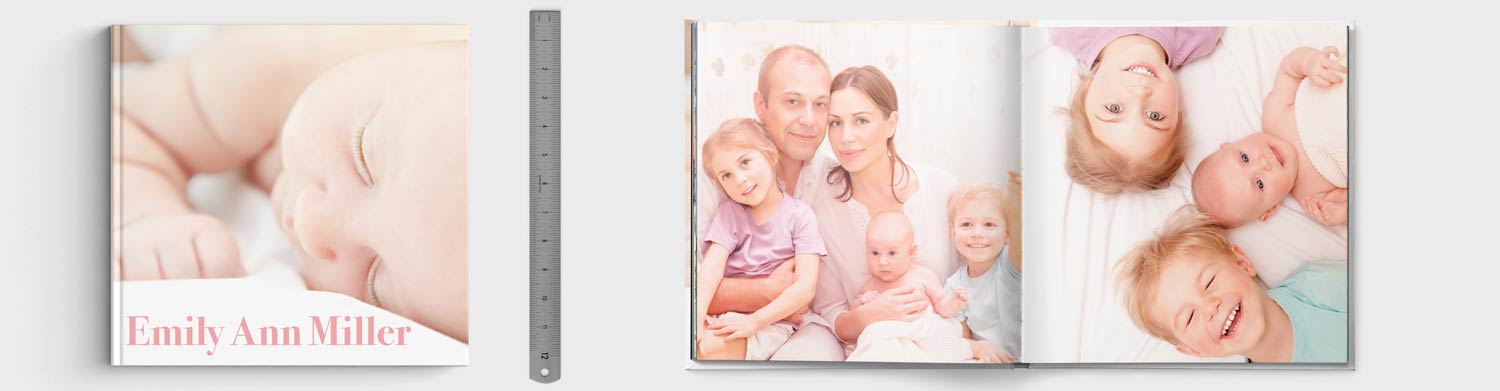
All 12"x12" Photo Book Specifications
12"x12" Hardcover with Premium 150 Photo Paper
| Printed Dimensions | 12"x12" |
|---|---|
| Printing Orientation | Square |
| Binding | Hardcover |
| Paper Type | Premium 150 Photo Paper |
| PDF Upload Dimensions Inches | 12.25"x12.25" |
| PDF Upload Dimensions Pixels | 3675px by 3675px |
| Interior Printing Color | Color |
| Page Min | 13 |
| Page Max | 500 |
| Base Binding Price | $19.99 |
| Price Per Page | $0.95 |
| Production Time | Up to 5 Business Days |
| Starting Price | $38.99 |
Print your 12"x12" Custom Hardcover Photo Book from a PDF file or create it in our Online Designer tool. This option includes a hardcover binding and our Premium Photo Paper, featuring a slight gloss and great color reproduction along with a medium weight to the paper. Combined with our laminated Imagewrap cover printing option, allowing you to print a photo cover that spans the front, back, and spine of the book.
12"x12" Softcover with Economy 120 Photo Paper
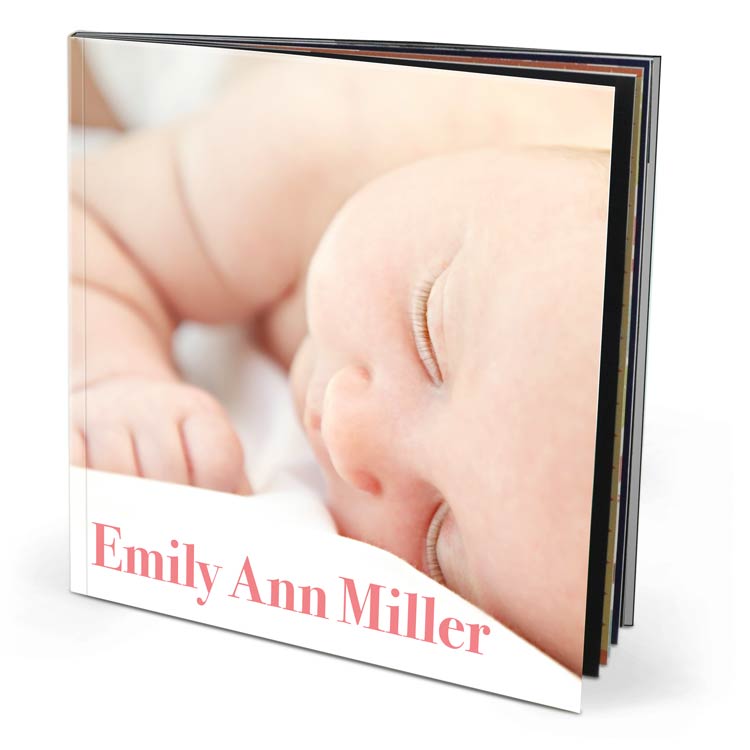
| Printed Dimensions | 12"x12" |
|---|---|
| Printing Orientation | Square |
| Binding | Softcover |
| Paper Type | Economy 120 Photo Paper |
| PDF Upload Dimensions Inches | 12.25"x12.25" |
| PDF Upload Dimensions Pixels | 3675px by 3675px |
| Interior Printing Color | Color |
| Page Min | 13 |
| Page Max | 400 |
| Base Binding Price | $11.99 |
| Price Per Page | $0.75 |
| Production Time | Up to 4 Business Days |
| Starting Price | $26.99 |
Print your 12"x12" Custom Softcover Photo Book from a PDF file or create it in our Online Designer tool. This option includes a softcover binding and our Silk Photo Paper, similar to magazine paper stock, providing a softer image quality to your photos. Combined with our Imagewrap cover printing option, allowing you to print a photo cover that spans the front, back, and spine of the book.
12"x12" Wire-O Softcover with Premium Gloss 220 Photo Paper
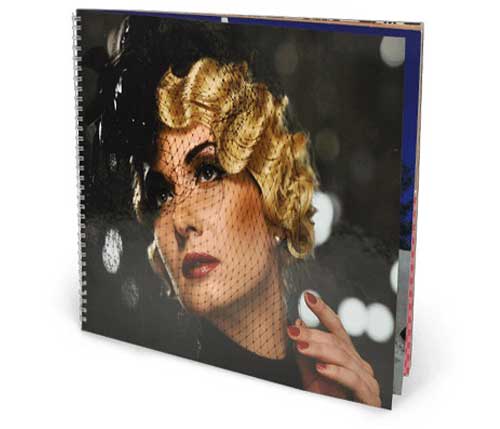
| Printed Dimensions | 12"x12" |
|---|---|
| Printing Orientation | Square |
| Binding | Wire-O Softcover |
| Paper Type | Premium Gloss 220 Photo Paper |
| PDF Upload Dimensions Inches | 12.25"x12.25" |
| PDF Upload Dimensions Pixels | 3675px by 3675px |
| Interior Printing Color | |
| Page Min | 4 |
| Page Max | 132 |
| Base Binding Price | $8.99 |
| Price Per Page | $0.60 |
| Production Time | Up to 4 Business Days |
| Starting Price | $20.99 |
Create a 12"x12" Wire-O Softcover Photo Book with ample space for large images and creative layouts. Premium Gloss 220 Photo Paper delivers vibrant prints, while the Wire-O binding provides easy page handling.
Create New Photo Book
What do you have?

 PDF Upload


Complete PDF
Upload PDF
Starting from photos
 Image Collator

One image per page
Upload Images Online Designer

Design each page
Create Online Book Machine

Comments
Lay Flat Books
Our seamless Layflat book comes in 8 x 12 inches, which can be viewed here http://www.prestophoto.com/help/Seamless+Layflat+Photo+Book
Thank you for your great question!
PrestoPhoto Support
Re:
Greetings from PrestoPhoto!
Thank you for the feedback, the link has been fixed!!
If you have any other questions please let us know and we'll do our best to help.
Best,
PrestoPhoto support
support@prestophoto.com
Re: Premium printing with die-cut cover?
Unfortunately, the die-cut is not available with the premium printing. You can see which products are available with premium printing here:
http://www.prestophoto.com/wiki/Premium+Printing
PrestoPhoto Support
Re: Premium printing with die-cut cover?
Re: Premium printing with die-cut cover?
Greetings from PrestoPhoto!
We're happy to let you know that we do offer 12x12 die-cut cover!
If you have any further questions let us know and we will do our best to help!
Regards,
PrestoPhoto support
support@prestophoto.com
Premium printing with die-cut cover?
Re:
Greetings from PrestoPhoto, we are happy to help! I'm so glad you've enjoyed the process, it is a blast making these books.
Once you have completed your project then you will need to look to the right of the page and you will see "1>>Layout Pages 2>>Design Cover 3>>Webstore Options"
You will first click on Step 2, Design Cover. This will take you to the cover step! Once you have finished designing your cover you will from there click on Step 3, Webstore Options.
From the Webstore Options page you will be able to view your book in both the Layout Preview and the Flip Preview. Here you can check your Guide Lines and ensure that none of your vital content will be trimmed during production. If you decide to go back to step one please always move back consecutively through the steps (1 - 2 - 3) in order to ensure those edits make it again to the Preview Step.
If you approve your book for print you can look below the preview and click to select the type of book size, binding and paper option you want. Then click the "Buy Now" button on the bottom Right of that page!
Your next step will allow you to Preview your books again, select if you want the PrestoPhoto Logo removed ($10), add any order notes, and select how many of that book you want to purchase. When it is all entered in correctly then click "Add to Cart"
From there you can proceed through a standard shopping cart entering your info as requested and selecting your shipping method.
If you have any further questions please email us at support@prestophoto.com
Regards,
PrestoPhoto support!